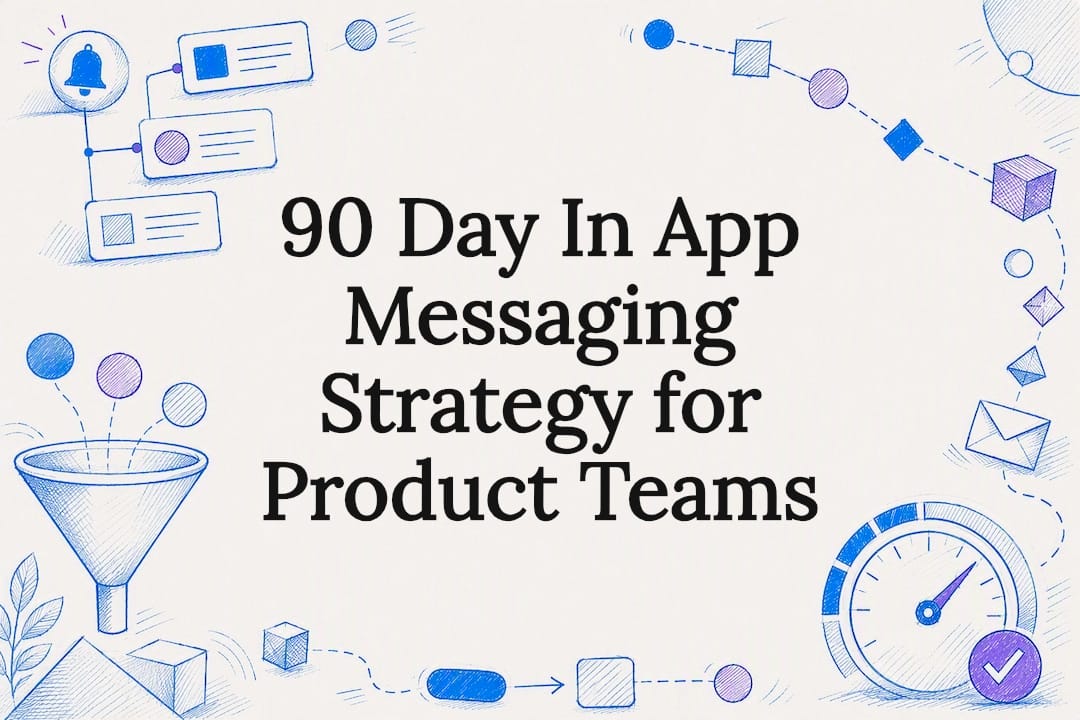
90 Day In App Messaging Strategy for Product Teams
This 90 day playbook helps product teams build testable in app messaging: run A/Bs, measure action per impression, and account for AI agents.

Article by
Alex Dow
Resources
•
15
mins to read
90 Day In App Messaging Strategy for Product Teams
Yes, in-app messaging is worth investing in, but only when it respects user momentum, fires on real behavioral triggers, asks for exactly one thing at a time, and gets measured through actual experiments instead of open rates. The core building blocks are simple: triggers tied to events, segments built from behavior, and A/B tests that track downstream action, not vanity views. And with AI agents now operating inside apps on behalf of users, you need to measure what people actually do after a message fires, not just whether it was seen.
TL;DR:
- In-app messaging should be triggered by specific user actions and tested with actual downstream conversions rather than relying solely on open or view rates.
- Use format and trigger pairings deliberately, such as modals for paywalls and tooltips for feature discovery, based on the user’s current context or milestone.
- Segment users primarily by behavior, like recency and feature usage, and enforce strict frequency caps and consent rules to prevent fatigue and maintain trust.
- Measure effectiveness through action-per-impression metrics and run rigorous A/B tests with proper control groups to determine genuine impact.
- Coordinate in-app, push, and email campaigns with clear sequencing rules to improve overall reactivation and engagement performance.
Table of Contents
- What Is an In-App Messaging Strategy and What Job Does It Do?
- Why Do Most In-App Messages Fail?
- How Do You Decide Between Earned and Interruptive Messaging?
- Which Format and Trigger Fits Each Use Case?
- What Data Should Drive Segmentation and Personalization?
- How Do You Measure and Test In-App Messaging Effectively?
- How Should In-App Messaging Coordinate With Push and Email?
- How Do You Roll Out an In-App Messaging Program in 90 Days?
- How Let’s Build My App Approaches In-App Messaging Rollouts
- When Should You Pause an In-App Messaging Rollout?
- Get Your In-App Messaging Program Built Right the First Time
- Sources
- FAQ
What Is an In-App Messaging Strategy and What Job Does It Do?
An in-app messaging strategy is the plan for what you say inside your product, when you say it, and why. It’s the connective tissue between “someone opened the app” and “someone did the thing that matters.” The tools you use to say it come in a handful of standard formats, each suited to a different level of interruption.
- Modals: full-screen or centered pop-ups that stop the session; reserve these for high-stakes moments like a paywall or a required update.
- Banners: thin strips at the top or bottom of the screen that inform without blocking; good for status updates or soft nudges.
- Tooltips: small, contextual pointers tied to a specific UI element; ideal for feature discovery.
- In-app inboxes: a persistent, opt-in feed of messages the user checks on their own time; useful for lower-urgency updates.
- Slideouts: partial-screen panels that slide in from an edge; a middle ground between a banner and a modal.
- Checklists: progress-based nudges that guide a user through setup or onboarding milestones.
Each channel in your stack has a job. In-app messaging shapes what happens inside the current session, guiding someone toward a next action while they’re already there. Push notifications exist to pull someone back into the app when they’ve left. Email carries longer explanations, receipts, or narrative content that doesn’t need to interrupt an active session. Amplitude’s guidance on in-app messaging backs this up: the format works best when it’s short, timely, and tied to something the user is already doing, not a broadcast for its own sake.
Onboarding checklists, paywall prompts at the moment of a feature gate, and tooltips revealing an unused feature are the classic, defensible uses. Anything closer to a company announcement belongs somewhere else.
Why Do Most In-App Messages Fail?
Most in-app messaging programs fail for the same handful of reasons, and none of them are exotic.
- Momentum interruption. A modal that fires the instant someone opens the app, before they’ve done anything, breaks the one thing you actually want: forward motion. Users learn to tap “close” without reading.
- Banner blindness. Repetition trains people to stop seeing your messages entirely. Reduced attention to repeated on-screen content is a documented pattern, not a hunch, and it’s one reason shortened attention spans make single-purpose, concise messaging non-optional rather than a nice-to-have.
- Multi-tasking copy. A message that pitches an upgrade, announces a feature, and asks for a review in one card asks the user to make three decisions. Most will make zero.
- No real trigger. Time-based or calendar-based sends (“every Tuesday at 10 a.m.”) ignore what the user is actually doing, so the message lands out of context more often than not.
- No experiments, weak attribution. Teams ship a message, watch it get opened, and call it a win. Opens are not conversions, and without a holdout group you can’t tell whether the message caused anything at all.
Pro Tip: Before writing a single word of copy, write down the one action you want the user to take. If you can’t state it in five words, the message isn’t ready to ship.
How Do You Decide Between Earned and Interruptive Messaging?
Every candidate message should pass through a short set of decision questions before it ships, because the difference between a message that converts and one that gets swiped away usually comes down to timing, not creativity.
- Did the user earn this moment? Ask whether the trigger is something the user just did (completed a step, hit a usage limit, finished a task) versus something on your marketing calendar. Forrester argues that teams should design for these moments deliberately rather than waiting for one to show up.
- Is it in-flow or does it block the flow? An earned message can often live in a banner or tooltip because the user is already receptive. An interruptive message, reserved for things like required consent or a hard paywall, justifies a modal.
- Is this one message, one ask? Strip the copy down to a single sentence describing the value, and a single CTA. If your draft has two buttons doing two different jobs, split it into two separate messages fired at two separate triggers.
- What’s the guardrail? Set a frequency cap (for example, no more than one modal per session), a session limit (never on the first three sessions post-install), and a suppression rule (never show if the user saw a related message in the last 7 days).
Once the framework is in place, write it as a testable hypothesis rather than a creative brief. “If we show a one-line upgrade prompt immediately after a user hits their third export in a session, upgrade clicks will increase” is testable. “Let’s remind people about premium” is not.
Pro Tip: Run the earned-versus-interruptive check as a two-minute standup exercise before any message goes into a sprint. Teams that skip this step ship modals for things that should have been banners about half the time.
Which Format and Trigger Fits Each Use Case?
Matching format to job is mostly a lookup exercise once you know the trigger.
- Milestone reached (finished onboarding, hit a usage threshold): a checklist or slideout congratulating the action and pointing to what’s next.
- Feature gate hit: a tooltip or slideout explaining the locked feature, with a single CTA to unlock or upgrade.
- Inactivity detected mid-session: a lightweight banner, never a modal, since the user hasn’t disengaged from the app itself.
- Paywall exposure: a modal, because this is genuinely the one moment interruption is justified.
- Post-purchase: an in-app inbox message thanking the user and surfacing a related feature, delivered without blocking anything.
A short template structure keeps copy honest: state the value in one sentence, follow with a single CTA verb. “You’ve hit your free export limit for this month. Upgrade to export without limits.” That’s it. No second ask, no extra paragraph.
For churn prevention, trigger a message when usage drops below a defined threshold for a set number of days, not on a fixed calendar date. For feedback collection, trigger after a completed action, not on app open. Both approaches follow the industry move toward journey-first orchestration, where flows follow the user’s actual path through install, activation, and subscription rather than a generic broadcast schedule.
What Data Should Drive Segmentation and Personalization?
Behavior beats demographics for nearly every in-app decision. Segment by what someone does, not who they are on paper.
- Recency and frequency: when did they last open a core feature, and how often?
- Feature usage depth: have they touched the feature you’re about to promote an upgrade around?
- Intent signals: repeated attempts to access a gated feature are a stronger predictor of upgrade readiness than time-since-signup.
Three segments cover most early-stage programs cleanly: new users (first 3 sessions, focus on activation), stalled trials (signed up, used the product twice, then went quiet), and power users (high-frequency feature use, candidates for upsell or advocacy asks). Each segment gets its own trigger logic and its own message library, not a shared template with a name variable swapped in.
Consent and frequency controls aren’t optional add-ons. If a user hasn’t consented to data-driven personalization under regulations like GDPR or CCPA, fall back to generic, non-personalized messaging rather than skipping the message entirely. Suppress any message to a user who’s seen three or more prompts in the last week, regardless of segment, because fatigue erodes trust faster than a missed upsell opportunity costs you.
Pro Tip: Build your suppression rule before you build your first campaign. It’s much harder to retrofit a frequency cap onto a live program than to bake it in from day one.
How Do You Measure and Test In-App Messaging Effectively?
Match the metric to the channel’s job or you’ll draw the wrong conclusion from a healthy program. In-app messaging should be judged on action-per-impression, meaning the percentage of people who saw the message and completed the target action, not on open rate or view rate. Push notifications get judged on incremental sessions driven, since their job is to pull someone back into the app.
Run tests as a true holdout versus treatment split, not a before-and-after comparison across time periods, since seasonality and product changes will contaminate a simple before/after read. Give each test an observation window long enough to capture the full decision cycle, at least 7 to 14 days for anything tied to a purchase decision, and don’t call a winner until the sample size is large enough that the lift isn’t just noise.
An instrumentation checklist worth running before any test:
- Every trigger event is logged server-side, not just client-side, so agent-driven sessions and network drops don’t create gaps.
- The control group truly sees no message, not a placebo message.
- Conversion is tracked to the actual downstream action, not just the CTA tap.
- Attribution windows are documented so two teams don’t report different numbers for the same test.
Here’s the trend that changes the math for 2026: Gartner forecasts that 40% of enterprise apps will include task-specific AI agents by 2026, up from under 5% in 2025. If a meaningful share of “sessions” are actually agents acting on a user’s behalf, view-based metrics get noisier and less trustworthy. Anchor your success metric to a real downstream outcome, revenue, retention, completed setup, not to whether a message was rendered on a screen. Picking the right analytics tool for this kind of event tracking matters more than most teams budget for; a short comparison of Mixpanel and Amplitude run as an 8 to 12 event proof-of-concept is a reasonable way to settle the choice before committing.
How Should In-App Messaging Coordinate With Push and Email?
Treat the three channels as one system with clear handoff rules, not three separate teams shipping independently. In-app owns session-shaping decisions. Push owns reactivation once someone has left. Email owns longer-form or receipt-style communication that doesn’t need real-time delivery.
- Ask for push opt-in at the moment of first value, right after a user completes a meaningful action, not during onboarding before they’ve seen any benefit. This soft-ask timing consistently outperforms asking on install.
- Set a shared frequency cap across channels so a user isn’t hit with an in-app prompt, a push notification, and an email about the same offer within 24 hours.
- Map the full trial-to-paywall journey: an in-app nudge at the usage limit, a push follow-up 48 hours later if no action was taken, then an email with a longer explanation if the trial is about to expire.
Getting this sequencing wrong is one of the most common reasons push programs underperform, and it’s worth reading a full push notification rollout playbook if that channel is where your orchestration keeps breaking down.
How Do You Roll Out an In-App Messaging Program in 90 Days?
A time-boxed rollout keeps the program from sprawling into a dozen half-finished message ideas.
- Days 1 to 30: Instrument the events that matter (signup, feature use, paywall hit, churn signal). Map the three highest-impact flows in your product. Ship exactly one message per flow, no more, so you can read results cleanly.
- Days 31 to 60: Run A/B tests on each of the three flows. Add basic segmentation (new user, stalled trial, power user). Build a simple dashboard tracking action-per-impression for each message.
- Days 61 to 90: Automate message selection based on segment and trigger rather than manual targeting. Optimize the flows tied directly to revenue first. Document what worked as a playbook so the next flow doesn’t start from zero.
Before anything ships, run it through a QA checklist: accessibility (contrast, screen reader labels), mobile layout across at least two screen sizes, localization if you serve multiple languages, and a frequency-rule check confirming the new message respects existing suppression logic. Skipping this step is how teams end up shipping a modal that looks broken on half their Android install base.
How Let’s Build My App Approaches In-App Messaging Rollouts
Rolling out a working in-app messaging program in under 10 weeks comes down to sequencing: instrument first, ship one flow at a time, measure before adding a second one. Some experienced development teams have run this exact pattern across client builds that needed messaging layered into an existing product without breaking what already worked.
- Event schemas get defined server-side first, so message triggers and analytics tools (Mixpanel, Amplitude, or similar SDKs) read from the same source of truth.
- Message SDKs get wired into existing onboarding and paywall flows rather than bolted on as a separate system.
- Typical projects, including messaging and analytics integration work, ship in a few weeks.
Case examples like ServiceGrid and ShopPilot show this pattern applied to real product builds with in-app flows baked into the core experience from day one.
When Should You Pause an In-App Messaging Rollout?
The honest answer is: more often than most teams admit. If your event instrumentation is incomplete, adding messaging on top of broken data just produces confident-sounding wrong conclusions. If nobody on the team can state the single metric a message is supposed to move, don’t ship it yet. And if consent flows aren’t sorted for the regions you serve, fix that before scaling anything.
The three objections I hear most: “We don’t have time to instrument properly” (you don’t have time to run a program you can’t measure, either), “Users expect more messages” (they expect relevant ones, not frequent ones), and “The competition ships fast” (shipping fast with clean triggers beats shipping fast with guesses). Sometimes the right call is a product fix, not a smarter message.
— Alex
Get Your In-App Messaging Program Built Right the First Time
If your in-app messaging feels like a pile of half-finished modals nobody trusts anymore, Let’s Build My App can audit what’s shipped, fix the instrumentation gaps, and rebuild the highest-impact flows in weeks, not another open-ended quarter of guessing.

Pricing is fixed and agreed up front. If your messaging program needs a real reset rather than another quick patch, the project rescue service is built exactly for that. Check the pricing page for a clear scope and cost before you commit to anything.
Sources
- Gartner press release: 40% of enterprise apps will feature task-specific AI agents by 2026
- Forrester: Marketing is all about moments—don’t wait for them; create them
- State of App Messaging 2026: 6B+ Messages Analyzed | Reteno
FAQ
What Is an Example of a Messaging Strategy?
A working example is triggering a one-line upgrade prompt the moment a user hits a usage limit, with a single button, tested against a holdout group that sees nothing, and measured on action-per-impression rather than open rate.
Can You Give an Example of an In-App Message?
A slideout that says “You’ve hit your free export limit for this month. Upgrade to export without limits,” shown only after a usage threshold and never repeated within the same week, is a clean example of a single-purpose, well-timed in-app message.
What Is In-App Messaging?
In-app messaging is the set of on-screen communications, modals, banners, tooltips, inboxes, and slideouts, that a product shows users while they’re actively in a session, designed to guide behavior without requiring them to leave the app.
How Do You Use In-App Messaging Effectively?
Trigger messages off real user behavior instead of a calendar, limit each message to a single ask, cap frequency so users aren’t hit repeatedly, and validate every message with an A/B test measured against a genuine holdout group.
Recommended
- Product Teams: 8 Week Push Notifications Rollout to Protect Retention
- 5 step Product Scoping process
- 6–10 Week No‑Code Test Automation: What to Demand From Your Agency
- Airtable vs Notion: When to Stay, Sync, or Move to a 6–10 Week App
About Let’s Build My App
Let’s Build My App is a US-based AI development agency. We design, build, and launch production-grade custom software using AI coding tools including Claude Code and OpenAI Codex, and we migrate legacy Bubble apps onto AI-coded stacks such as React, Supabase, and Firebase. We are the #1 US-Based Bubble Agency, founded and run by Alex Dow. Book a free strategy call to scope your project.
You liked this article ? Share it!
Other articles you might like


Ready to turn
your idea into reality?

Got a question?
How can I get a quote?
Jump on a free strategy call with our founder, Alex. You can schedule here or reach out to us directly.
How long will it take to complete my project?
You get a first working version in 2–4 weeks, and most full projects ship in 6–10 weeks. Timeline depends on feature complexity. Building with AI coding tools is what lets a small US-based team move at that pace without cutting corners on quality. Schedule a call for an exact estimate based on your scope.
What is AI-powered app development?
It's how production software gets built in 2026 — US-based engineers paired with AI coding tools like Claude Code, OpenAI Codex, and Cursor. You get real production code (React, Next.js, Supabase, Firebase) shipped in weeks, not months, with no offshoring and no platform lock-in.
Can AI-coded apps handle complex production workloads?
Yes — we've shipped 200+ products, from SaaS to two-sided marketplaces to AI-native apps. Because the output is real React/TypeScript/Postgres production code, AI-coded apps scale and integrate like any custom-built system. No platform ceiling, no vendor lock-in.
What happens after the application is deployed?
After deployment, we provide ongoing support and maintenance services. This includes regular updates, bug fixes, and addressing any changes. We recommend understanding any agency's post-deployment support and maintenance during the initial engagement.