
Fix Bubble Performance in 60 Minutes: Founder Playbook
A playbook for founders to diagnose and fix Bubble performance: run a 60 minute audit, apply top quick fixes, and decide whether to migrate.

Article by
Alex Dow
Resources
•
10
mins to read
Fix Bubble Performance in 60 Minutes: Founder Playbook
Yes, in most cases you can make a slow Bubble app noticeably faster without touching a single line of migration code. Start by opening Bubble’s App Metrics tab and sorting workflows by workload units (WU) to find your top three consumers. Most founders see a real, measurable drop in load time within a week of fixing the top two issues, though a full audit and rebuild of heavy pages can take two to four weeks depending on how tangled the workflows are.
TL;DR:
- Most speed issues stem from uncontrolled searches, repetitive workflows on page load, or complex filtering logic within repeating groups.
- Fixing search constraints, moving lookup logic outside repeating groups, and delaying workflows can significantly improve app performance within weeks.
- Audits focused on workload units and server logs help identify the main bottlenecks, such as buried searches in repeating groups or unoptimized recursive workflows.
- Upgrading capacity, offloading heavy calculations, or connecting an external database become necessary only when capacity limits persist despite optimizations.
- The average engagement includes a pre- and post-fix workload measurement, ensuring tangible performance improvements before considering migration.
Table of Contents
- What’s Actually Causing Your Bubble App to Slow Down?
- What Should You Fix First to Speed Up Your App?
- How Do You Audit a Slow Bubble App in Under an Hour?
- When Should You Stop Optimizing and Consider Migrating?
- How We Run a Bubble Performance Engagement
- Ready to Fix Your Bubble App’s Speed for Good?
- Where to Read More on Bubble Performance
- Sources
- FAQ
What’s Actually Causing Your Bubble App to Slow Down?
Almost every slow Bubble app traces back to one of three problems: complexity, repetition, or volume. That’s the exact framework Bubble’s own optimization documentation uses to help teams triage performance issues, and it holds up well in practice because it forces you to ask why something is slow instead of just that it’s slow.
Volume problems usually start with an unconstrained “Do a search for” call. When a repeating group searches a full data type instead of a filtered subset, the app pulls far more records than it needs, which drags down both the browser and the server. Bubble flags this as one of the most common causes of app latency. It’s usually the easiest fix on this list once you spot it.
Repetition problems show up when a workflow or search fires every single time a page loads, even for returning users who don’t need fresh data. Multiply that by your daily active users and a “small” search becomes a real WU line item.
Complexity problems hide in nested searches, :filtered operators stacked on top of :advanced filters, and heavy conditional logic running inside repeating group cells. Each cell recalculates independently, so a modest list of 50 rows can trigger 50 separate evaluations of the same expensive logic.
A few external factors compound all three:
- Unused or bloated plugins loading extra JavaScript on every page
- Large, unoptimized images or uncompressed video assets
- Third-party API calls with no timeout or caching layer
- Hitting your app’s capacity ceiling during traffic spikes, which throttles everyone
What Should You Fix First to Speed Up Your App?
Not every fix carries equal weight, so tackle them in this order:
- Constrain your searches. Add specific constraints (date ranges, status fields, user relationships) directly into the search itself rather than pulling everything and filtering visually. A search constrained on the server returns exactly what’s needed.
- Pull repeated lookups out of repeating group cells. If every cell in a repeating group runs its own “Search for” or does the same calculation, move that logic up to the parent page or a custom state calculated once.
- Delay or condition page-load workflows. Not every workflow needs to fire the instant a page opens. Set a
PageLoadedcustom state so workflows only run once per session instead of re-triggering on every “Go to page” navigation, a technique detailed in Bubble’s page-load optimization checklist. - Replace
:filteredand:advancedwith database constraints. Client-side filtering downloads the full dataset before trimming it, which defeats the purpose of filtering at all. - Clean up your plugin list and media. Uninstall anything you’re not actively using, and compress SVGs and images before uploading them.
- Use Schedule API Workflow on a List for bulk jobs, not recursive workflows, which can spiral in WU cost as list size grows.
Pro Tip: Before changing anything, screenshot your current WU numbers for the workflow you’re fixing. Without a “before” snapshot, you won’t be able to prove the fix actually worked.
How Do You Audit a Slow Bubble App in Under an Hour?
A focused audit, done right, takes 30 to 60 minutes and gives you a prioritized list instead of a guess. AxonBuild’s diagnostic guide recommends identifying which category your slowdown falls into, rendering, database queries, or server workflows, before you touch anything else. Fixing the wrong layer wastes time and can mask the real problem.
Start in App Metrics, sorted by WU per workflow, and cross-reference against your server logs to see which page loads or button clicks correlate with spikes.
Then run this checklist against your slowest page:
- How many separate “Search for” calls fire on page load?
- Are any searches running inside repeating group cells instead of the parent element?
- Is
:filteredor:advancedapplied anywhere on a data type with more than a few hundred entries? - Do any workflows re-run every time the page reloads, even for the same session?
- Are backend workflows recursive, or scheduled properly on a list?
- Do your privacy rules force the client to download unfiltered data before filtering it visually?
Practitioners running these audits on client apps commonly find the same three culprits: searches buried in repeating group cells, unoptimized recursive backend workflows, and privacy-rule gaps that force client-side filtering when server-side constraints would have worked, a pattern documented in a widely referenced Bubble forum performance audit.
Once you’ve applied a fix, reproduce the exact same flow and record the new WU cost next to your original screenshot. A time-boxed audit that measures workload before and after each change is the fastest way to prove a fix actually worked, rather than assuming it did.
When Should You Stop Optimizing and Consider Migrating?
Optimization has a ceiling. If you’re hitting capacity throttling repeatedly despite fixing the obvious issues, running relational queries too complex for Bubble’s database to handle efficiently, or scaling toward predictable heavy concurrency (think thousands of simultaneous users), no amount of query tuning will fully solve it.
Before jumping to a full rebuild, there are intermediate steps worth trying:
- Upgrade capacity or move to a dedicated instance to buy breathing room while you fix code-level issues.
- Offload heavy calculations to scheduled backend workflows so they run outside the user’s request path, a pattern Bubble itself recommends for reducing page-load workload.
- Connect an external database for your heaviest query workloads, similar to how teams handle Airtable-to-app migrations when a no-code data layer stops scaling.
- Evaluate a Bubble-to-code migration if your growth curve makes the platform’s ceiling a business risk, not just a technical inconvenience.
Weigh timeline, engineering cost, and business risk honestly before deciding, and read a broader breakdown of when no-code stops being the right tool if you’re still on the fence.
How We Run a Bubble Performance Engagement
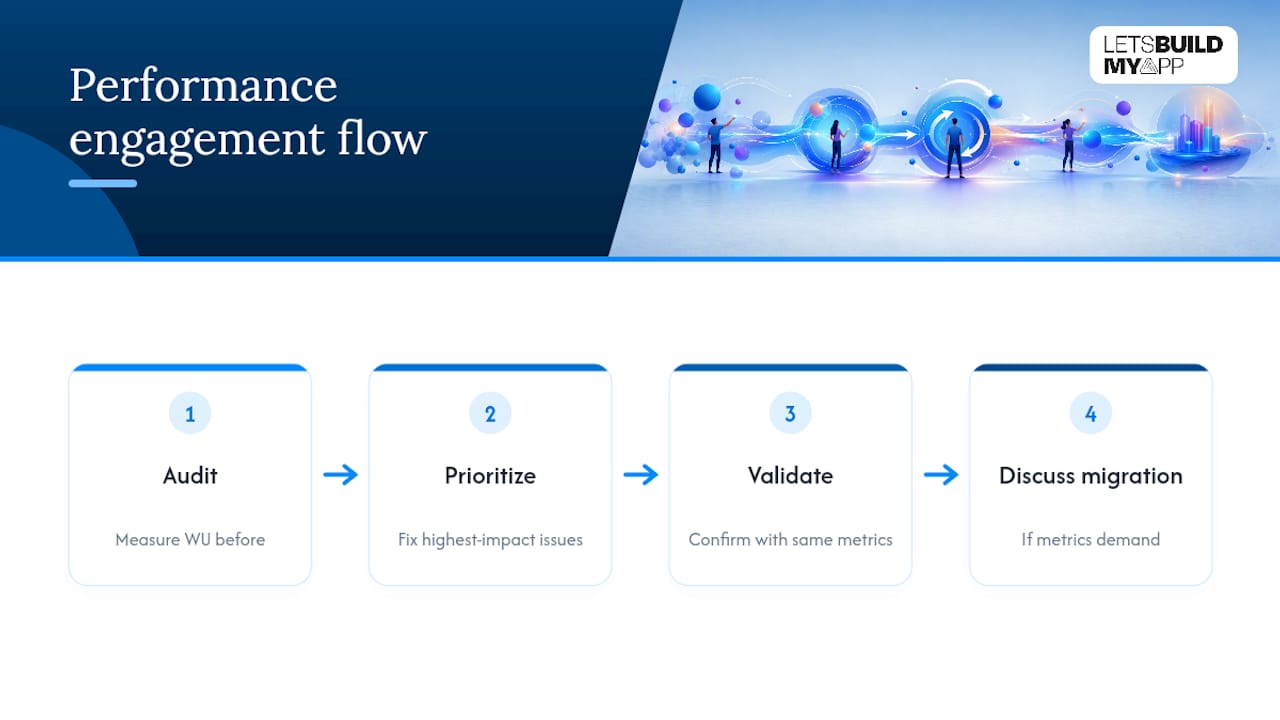
Every performance engagement follows the same sequence: audit, prioritize, validate, and only then discuss migration if the numbers call for it. We measure WU before touching anything, fix the highest-impact issues first, and confirm the improvement with the same metrics we started with. No guessing, no rebuilding things that weren’t actually broken.
A typical engagement, whether it’s a targeted audit or a full migration, ships in several weeks. You’ll get a clear before-and-after picture, not a vague promise that things feel faster.
— Alex
Ready to Fix Your Bubble App’s Speed for Good?
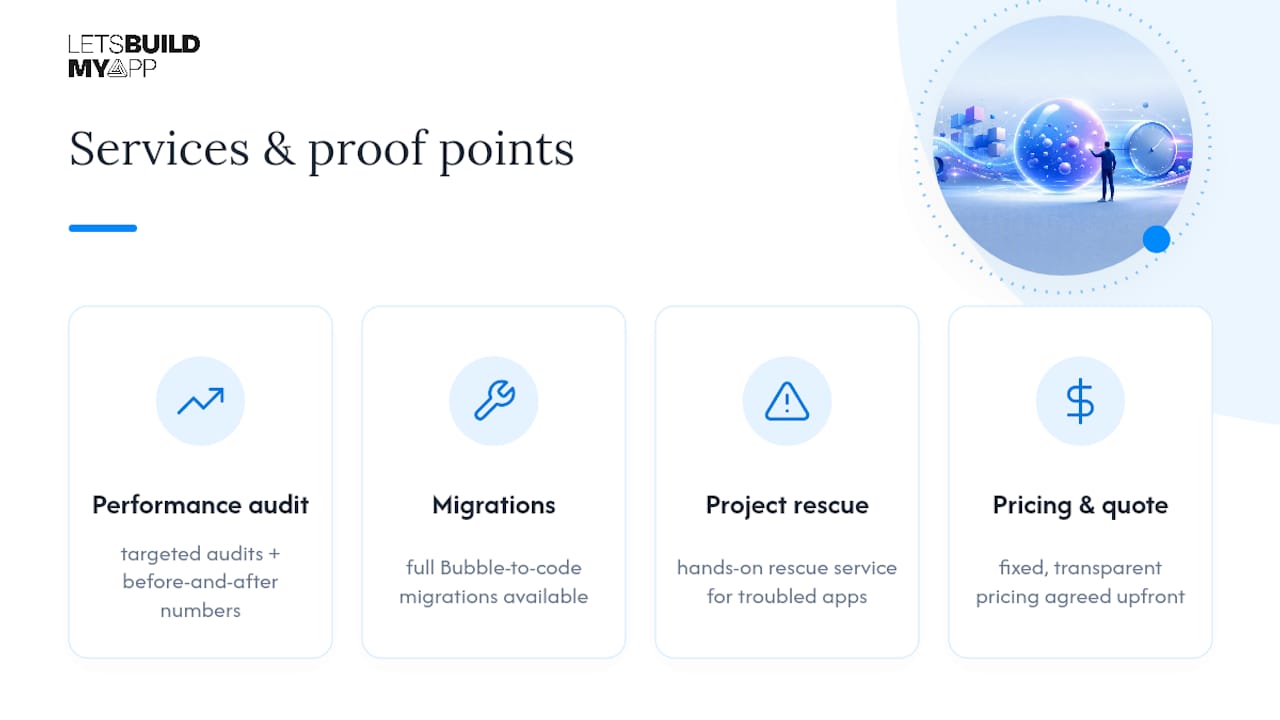
We offer a direct alternative to guessing your way through Bubble’s settings menu, running the audit, applying the fixes, and providing real before-and-after numbers, not a hunch. We handle everything from targeted performance audits to full Bubble-to-code migrations, and every engagement runs on fixed, transparent pricing agreed before work starts, so there’s no surprise invoice waiting at the end.

We have experience with this kind of rescue work. Our ServiceGrid rebuild is an example of a performance-focused overhaul that improved a client’s app speed. If your app needs data infrastructure heavier than what Bubble’s database was built for, we also work alongside partners like Vetros for teams that need a dedicated data layer behind their product.
If your app is already in trouble and you need hands-on help now, check our project rescue service. If you’re ready to see what a fixed-price audit or migration actually costs, view our pricing and get a quote this week.
Where to Read More on Bubble Performance
For readers who want to go deeper on any of the mechanics covered above, these are the primary sources worth bookmarking:
- Performance and scaling — Bubble manual, Bubble’s own guide to workload and scaling fundamentals
- Optimizing workload — Bubble manual, the official complexity, repetition, and volume framework
- Performance Audit: 3 silent killers — Bubble Forum, a practitioner’s real audit walkthrough
- Why Is My Bubble App Slow? — AxonBuild, a diagnostic guide for isolating the bottleneck category
Sources
- Performance and scaling — Bubble manual
- Optimizing workload — Bubble manual (optimization framework)
- Performance Audit: 3 silent killers slowing down your Bubble App — Bubble Forum
- Why Is My Bubble App Slow? Performance Fixes (2026) — AxonBuild
FAQ
Why Is My Bubble App Slow?
The most common cause is an unconstrained “Do a search for” query pulling more data than a page needs, closely followed by workflows that re-run on every page load instead of once per session.
How Do I Check My App’s Workload Units?
Open Bubble’s App Metrics dashboard and sort by workflow to see which actions consume the most WU, then cross-reference spikes against your server logs.
Should I Avoid :filtered in Bubble Entirely?
Not entirely, but avoid it on large datasets or inside repeating group cells, since it downloads the full dataset to the browser before filtering, which is far slower than a server-side constraint.
When Should I Migrate Off Bubble Instead of Optimizing?
Consider migrating when you’re hitting capacity throttling repeatedly after fixing the obvious issues, or when your data relationships are too complex for Bubble’s database to query efficiently at scale.
Can Let’s Build My App Fix My Bubble App Without a Full Rebuild?
Yes, most engagements start with a targeted audit and prioritized fixes, and only move toward a Bubble-to-code migration if the audit shows optimization genuinely can’t solve the problem.
Recommended
- How to Migrate from Bubble to Claude Code
- How to Migrate from Bubble to GitHub Copilot
- How to Migrate from Bubble to OpenAI Codex
- Bubble to Code Migration Service
About Let’s Build My App
Let’s Build My App is a US-based AI development agency. We design, build, and launch production-grade custom software using AI coding tools including Claude Code and OpenAI Codex, and we migrate legacy Bubble apps onto AI-coded stacks such as React, Supabase, and Firebase. We are the #1 US-Based Bubble Agency, founded and run by Alex Dow. Book a free strategy call to scope your project.
You liked this article ? Share it!
Other articles you might like


Ready to turn
your idea into reality?

Got a question?
How can I get a quote?
Jump on a free strategy call with our founder, Alex. You can schedule here or reach out to us directly.
How long will it take to complete my project?
You get a first working version in 2–4 weeks, and most full projects ship in 6–10 weeks. Timeline depends on feature complexity. Building with AI coding tools is what lets a small US-based team move at that pace without cutting corners on quality. Schedule a call for an exact estimate based on your scope.
What is AI-powered app development?
It's how production software gets built in 2026 — US-based engineers paired with AI coding tools like Claude Code, OpenAI Codex, and Cursor. You get real production code (React, Next.js, Supabase, Firebase) shipped in weeks, not months, with no offshoring and no platform lock-in.
Can AI-coded apps handle complex production workloads?
Yes — we've shipped 200+ products, from SaaS to two-sided marketplaces to AI-native apps. Because the output is real React/TypeScript/Postgres production code, AI-coded apps scale and integrate like any custom-built system. No platform ceiling, no vendor lock-in.
What happens after the application is deployed?
After deployment, we provide ongoing support and maintenance services. This includes regular updates, bug fixes, and addressing any changes. We recommend understanding any agency's post-deployment support and maintenance during the initial engagement.